Handwriting for LaserGRBL
Choose the pen mechanism and enter tested positions, speeds and settling time, then download G-code. Open the G-code file in LaserGRBL. Check the preview, page dimensions and the G54 work origin at the lower-left corner.
Prepare my font ↗Prepare, convert and verify
- Choose the pen mechanism and enter tested positions, speeds and settling time, then download G-code.
- Open the G-code file in LaserGRBL. Check the preview, page dimensions and the G54 work origin at the lower-left corner.
- Confirm pen lifts with a short test on your device. This is a pen job; do not use the servo profile as a laser job.
Enter values tested on your device. G54 zero is the lower-left corner of the page; Z values are relative to your work zero. Servo mode requires compatible pen firmware and laser mode off. Check the preview and pen lifts before sending. The file does not configure the controller.
Export geometry is checked automatically. Import in this program and physical output have not been tested.
LaserGRBL ↗MaximKing
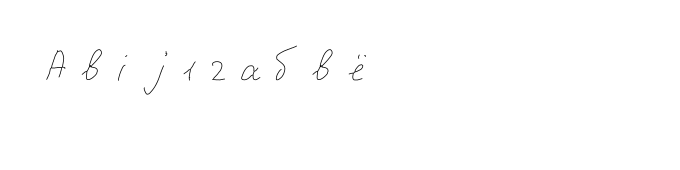
MaximKing example: 10 characters (Abij12абвё). Choose a font for your program or a finished SVG/PDF/DXF drawing; the ZIP includes all formats and instructions in your language. The sample does not contain the full font.
Choose the pen mechanism and enter tested positions, speeds and settling time, then download G-code. Open the G-code file in LaserGRBL. Check the preview, page dimensions and the G54 work origin at the lower-left corner. Confirm pen lifts with a short test on your device. This is a pen job; do not use the servo profile as a laser job.
Export geometry is checked automatically. Import in this program and physical output have not been tested.
Enter valid speeds, distinct pen positions and a delay from 0 to 10 s. Raised Z must exceed writing Z.
G-code is included in the ZIP only after selecting Candle or LaserGRBL and completing the pen settings.
Before you export
Why are letters drawn twice?
Choose pen mode and inspect the paths. Outline mode follows both edges of a filled stroke. Imported contours may need centreline reconstruction and manual correction.
Why are Cyrillic letters or accents missing?
Check alphabet readiness, add missing characters and generate the current font and pen version. Font import also depends on the target program. Finished SVG/PDF/DXF pages contain the prepared letter geometry.
Why does spacing change after import?
Font exports do not carry all OpenType kerning, ligatures and connections. CXF/LFF use shared spacing settings. Export a finished SVG/PDF/DXF page to preserve the chosen positions and connections.
Explore more tools
Create your own handwriting font
- Create a handwriting font for a pen plotter
- Your handwriting for a plotter: Horus, Inkscape and LightBurn
- Handwriting for CorelDRAW
- Handwriting for GRBL-Plotter
- Handwriting for Silhouette Studio
- Handwriting for Candle
- Handwriting for KDraw (Kvenjoy)
- Create a TTF font from your handwriting
- How to make a font from your handwriting
- Create a font from photos of letters
- Draw your own font online
- Handwriting font template
- Ligatures for handwriting fonts
- Your handwriting font in Word